Ubiquiti UniFi Protect G5 Bullet
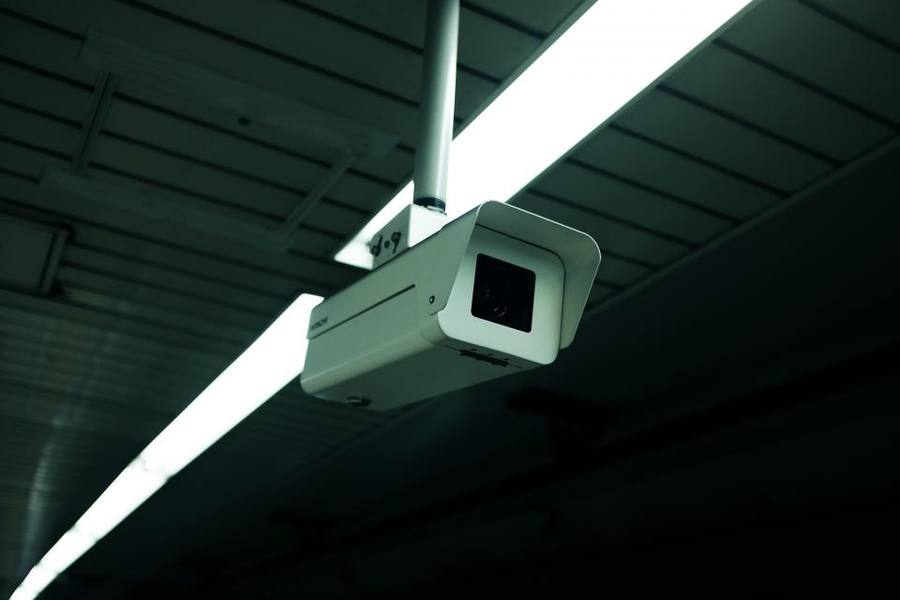
Representative image (stock photo); not the exact product.
A System Rather Than A Camera
Consumer cameras are sold as individual devices with an app. The UniFi Protect range is designed around a local recorder that stores and indexes footage, with cameras as endpoints.
That is a fundamentally different proposition. Footage lives on hardware you own, retention is determined by the disk you fit rather than a subscription tier, review is across all cameras on one timeline, and nothing depends on a company continuing to run a cloud service.
It also means you cannot buy one camera and be finished. A recorder is required, and that is the real purchase — the cameras are the cheaper part of a system that needs planning.
Power Over Ethernet
The cameras are powered over the same Ethernet cable that carries their data, which means one cable to each camera and no power supply at the camera end.
That is a substantial practical advantage for a permanent installation: no batteries to charge, no solar to depend on, no Wi-Fi dropouts, and no power socket needed at height on an outside wall.
It also means running Ethernet cable, which is the real work. For a new build or a renovation it is straightforward; retrofitting cable through a finished house is a genuine job and the main reason people choose wireless cameras instead.
Reliability Against Convenience
A wired camera on a local recorder does not drop off Wi-Fi, does not run out of battery, and does not stop recording because an internet connection failed. For security specifically, that reliability is the point.
Battery and Wi-Fi cameras fail in exactly the situations where you most want footage — a power cut, an internet outage, a period of poor weather with no sun. A wired system on a recorder with a UPS keeps working.
That difference is the honest case for the additional cost and installation effort, and it is a real one rather than a marketing distinction.
Complexity And Who It Suits
This is network equipment and it expects a degree of network literacy. Setting up a recorder, assigning addresses, configuring retention and understanding switches are all part of it.
It is far more capable than consumer cameras and considerably less forgiving. Anyone who wants to mount a camera and open an app should buy a consumer camera, and will be happier.
For anyone already running network equipment, or willing to learn, the result is a system that behaves like a professional installation at a fraction of professional installation cost.
Who It Suits
This suits anyone doing a permanent installation properly: a new build, a renovation with walls open, or a property where running cable is realistic. Under those conditions it is straightforwardly the better approach.
It suits less well a rented property, a finished house where cabling means serious disruption, or anyone who wants to mount a camera and be done in twenty minutes.
It is also the right answer for anyone who has decided that footage of their own property should not live in a company's cloud on a subscription, since the whole system is built around that principle rather than offering it as an option.
The Verdict
A genuinely professional approach: wired power and data, footage on hardware you own, retention set by your disk, and no dependency on any company's cloud service continuing.
It requires a recorder, Ethernet cabling and network literacy, and none of those are trivial.
Buy into this if you are willing to run cable and learn the system — the reliability advantage is real, and so is the effort.
At a glance
Pros
- Footage stored on hardware you own with retention set by your disk
- Power and data over one Ethernet cable; no batteries or solar
- Does not fail during internet outages or bad weather
- One timeline across all cameras for review
Cons
- Requires a recorder as well as cameras
- Running Ethernet cable through a finished house is real work
- Expects network literacy to set up and maintain
- Far less forgiving than a consumer camera and an app
Frequently asked questions
Can I buy just one camera?
Not usefully — the system is built around a local recorder that stores and indexes footage, and that recorder is the real purchase. Cameras are the cheaper part of a system that needs planning rather than an incremental buy.
Why bother with cable?
Reliability. A wired camera on a local recorder does not drop off Wi-Fi, run out of battery or stop recording during an internet outage — which are exactly the situations where you most want footage. Running cable is the cost of that.
Is it too complicated for me?
If you want to mount a camera and open an app, yes, and a consumer camera will make you happier. If you already run network equipment or are willing to learn switches, addressing and retention, the result behaves like a professional installation.
Specifications
| Type | Wired professional camera |
| Power | Power over Ethernet |
| Recording | Local recorder, owned hardware |
| Retention | Determined by fitted disk |
| Subscription | None |
| Cloud dependency | None required |
| Review | Unified timeline across cameras |
| Setup | Requires network knowledge |
The bottom line
Footage you actually own, wired power and data, and no cloud dependency — a professional approach. It needs a recorder, cabling and network literacy.
Check Price on Amazon